
Sister project: MiniMe I (WeAct ESP32-S3 + SSD1327 OLED breadboard) · GitHub. This page is MiniMe II only – not a breadboard build and not MiniMe I’s OLED board.
Status: Guition module firmware · v1.00.01 release · Discord, LCD, LAN, Controls prefs · soak testing continues for edge cases. Ready for daily use, but not closed out.
This is my second iteration of MiniMe. The board build is meant to be useful and reliable for day-to-day Discord + LCD use. I am still hardening (soaks, edge cases, polish) – not declaring the project closed. AI helped with firmware edits, multi-file layout, and GitHub updates. I owned the architecture, wiring, Discord Gateway/LCD design, commands, power/idle trade-offs, and what shipped on the board.
LCD & LAN twin UI
Panel native 320×480 portrait; firmware paints 480×320 landscape via GFX Library for Arduino (Arduino_ESP32QSPI + Arduino_AXS15231B + Arduino_Canvas). Glass and http://<board-ip>/ are one design – same Display / Log / Controls pages. Light/Dark on the glass and in the browser stay independent.
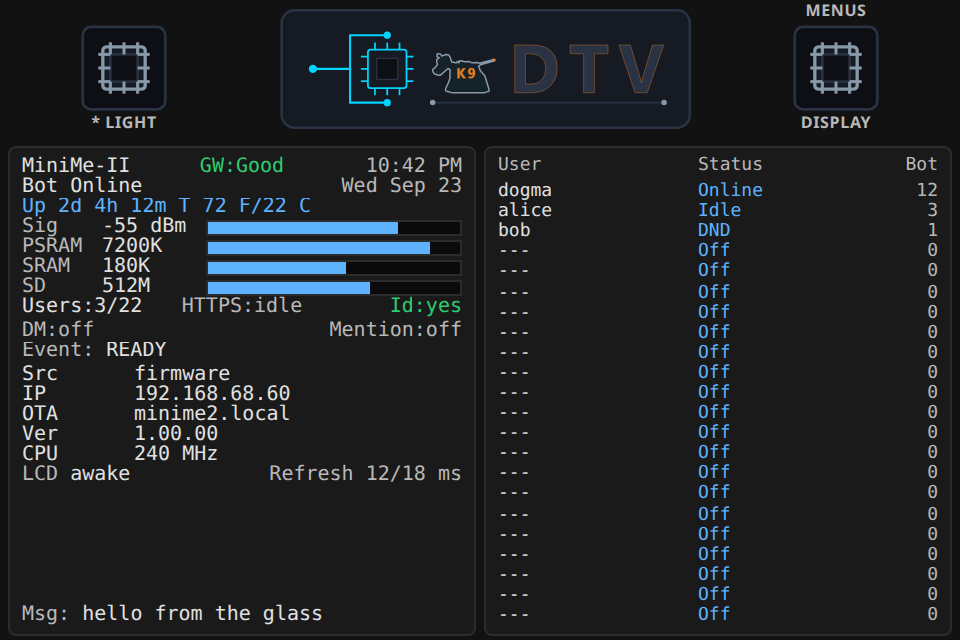
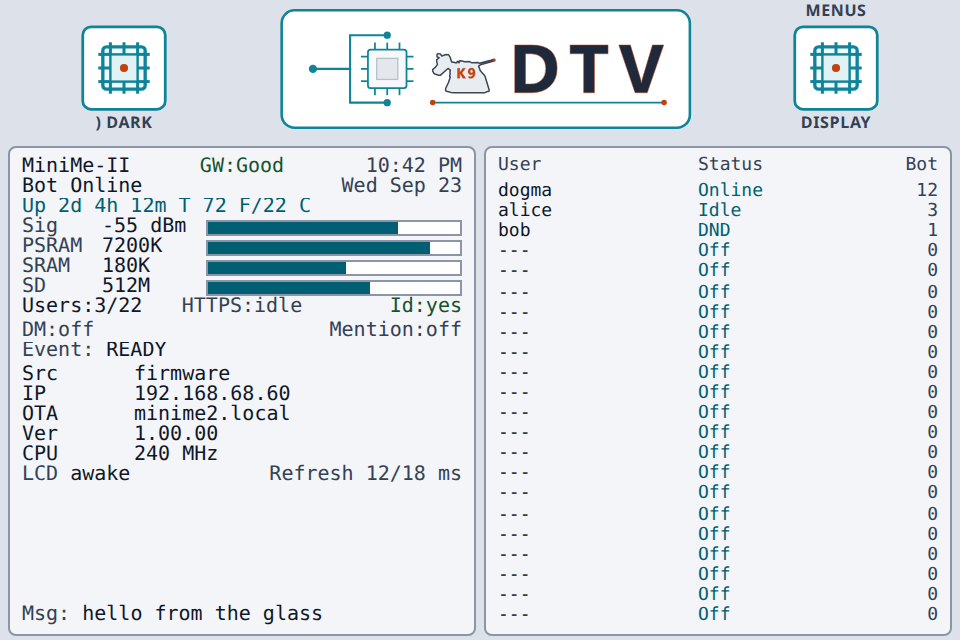
LCD Display (sample UI preview, 480×320): metrics | users. Screenshot follows the site theme toggle.
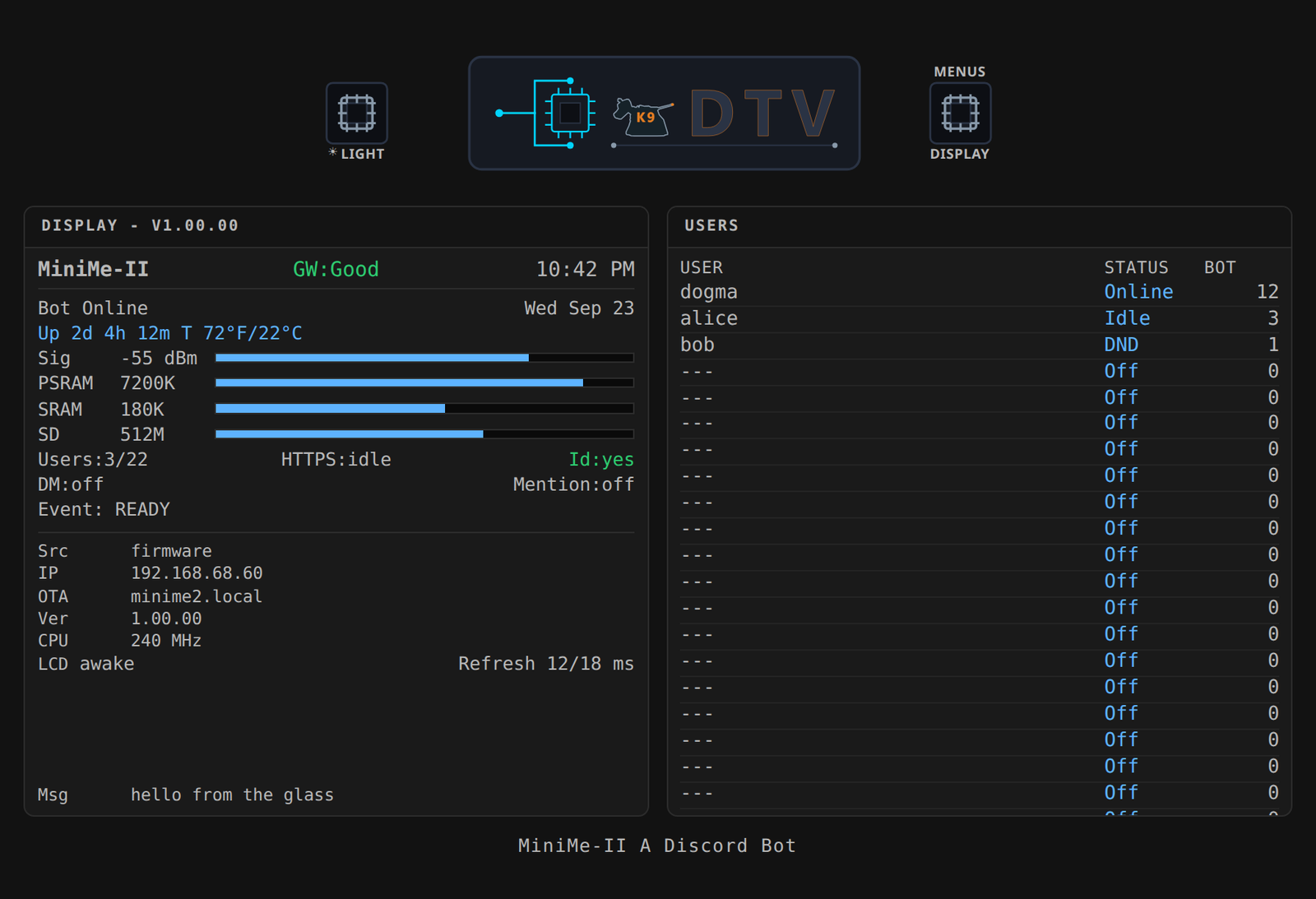
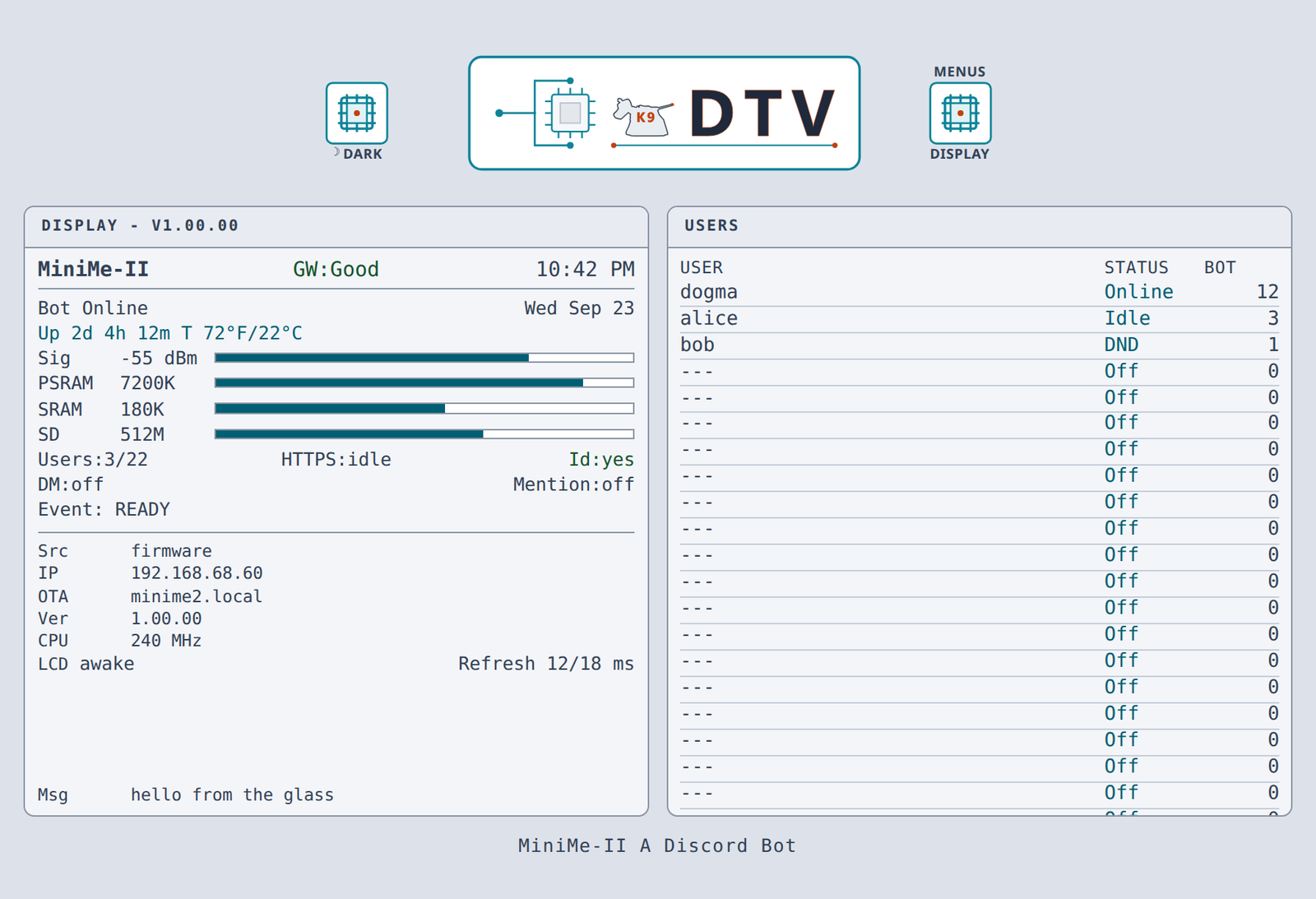
LAN web Display twin of the glass (sample UI preview). Light/Dark in the browser is independent of the LCD chip.
Ongoing project
Ready for daily use on the Guition module. Not closed out. Work continues on:
- Further soak / edge-case hardening – long runtimes, reconnect storms, heap pressure
- Desk case / enclosure – last on the list (module board already; enclosure is packaging)
Already in: dual-core LCD vs Gateway, Display/Log/Controls + Light/Dark chips, LCD↔web UI parity, flash Controls prefs, DM/@mention flags + alarm/!clear, dirty redraw, user-initiated Wi-Fi OTA (!ota), secrets from SD (/secrets.h overlay).
What this bot can do
Same list Discord shows for !help.
Public commands
DMs, TARGET_CHANNEL_ID, or TARGET_CHANNEL_ID1:
!apod– NASA Astronomy Picture of the Day!ask <question>– DeepSeek text reply in chat!msg <text>– sticky Msg: line on LCD Display (max 31 characters)!help– command list!iss– International Space Station position!news– space / high-tech headlines!physics– latest arXiv physics papers!sys– uptime, heap (SRAM + PSRAM), Wi-Fi RSSI, gateway, firmware URL!temp– indoor DS18B20 temperature (GPIO 18; sensor not fitted yet)!time– bot local time (US Pacific, DST aware)!weather <zip>– US ZIP weather (OpenWeatherMap)
Owner-only
OWNER_ID_STR:
!ota– Wi-Fi ArduinoOTA info (IP / hostname / port 3232)!coredump– last panic from flash coredump (!coredump clearerases)!clear– clear DM / mention alerts and the Msg line (stops the repeating alarm)!resetprefs– factory-reset Controls prefs in flash
No !led, no !servo (no on-module RGB; servo path removed).
Channel / DM commands
Commands work in TARGET_CHANNEL_ID, TARGET_CHANNEL_ID1, and DMs. No automatic boot posts.
Bot Discord presence
- Starts Online when the Gateway identifies
- Goes Idle after 5 minutes with no activity
- Returns to Online on commands (touch does not set Online)
How it works
Everything runs on one ESP32-S3. Discord stays in the cloud; MiniMe II talks to it over Gateway (websocket) and REST (HTTPS), paints the LCD, serves a LAN web dashboard, and wakes the panel from in-cell touch.
Cloud
Guition ESP32-S3
- Gateway – live link for chat commands, presence, Online/Idle, heartbeats (must not stall during long HTTPS). Identify-only after drops; CA cert bundle TLS
- REST – bot posts replies and loads member names; also pulls science/weather/AI over HTTPS. One shared
WiFiClientSecure;httpsInUseprevents overlapping HTTPS fromstop()ing each other - LCD – 480×320 landscape status board; idle blanks backlight only (Wi-Fi and Gateway stay up). Metrics + users (or LOG + Serial in Log layout)
- LAN web UI – browser twin of the LCD at
http://<board-ip>/(Display, Log, Controls); independent Light/Dark; polls about every 2 s - Touch – wakes the LCD and hits the IC chips (theme / layout). Does not change Discord Online/Idle
Dual-core (ESP32-S3)
| Core | Owns |
|---|---|
1 (loop) | Discord Gateway + heartbeats, HTTPS REST, ArduinoOTA, LAN web server, command queue drain |
0 (uiTask) | Touch I2C, DS18B20 poll, updateDisplay / QSPI flush, backlight idle |
Shared UI state is a published DashSnap (seqlock; Core 1 writes, Core 0 paints). QSPI / touch / temp no longer block Gateway heartbeats.
Why this is hard (on one MCU)
- Discord Gateway heartbeats must keep running while long HTTPS calls use the same TLS client (dual-core removes LCD/QSPI from that fight)
- Large Gateway JSON lives in PSRAM; small Wi-Fi/TLS buffers must not
- Backlight can turn off while Wi-Fi and the Gateway stay up (panel sleep ≠ chip sleep)
- Up to 22 live presence rows + 24h command counts on one landscape panel
LCD dashboard
Panel: Guition JC3248W535EN AXS15231B, native 320×480, firmware canvas 480×320 landscape. Right IC chip: Display (metrics | users) / Log (LOG | Serial). Left IC chip: Light / Dark on the glass only. After 5 minutes idle the backlight turns off; in-cell touch, commands, and status overlays wake it.
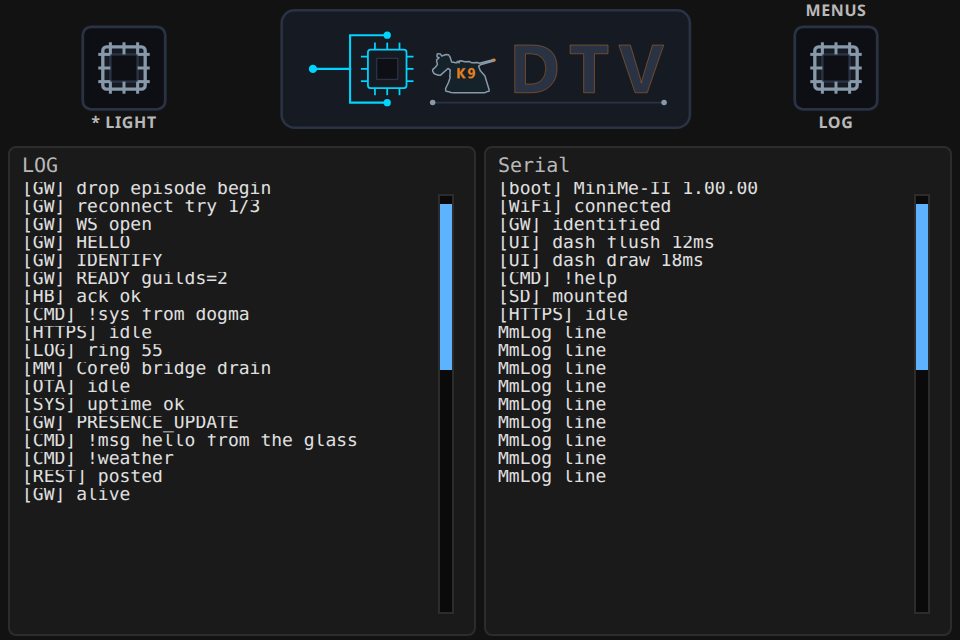
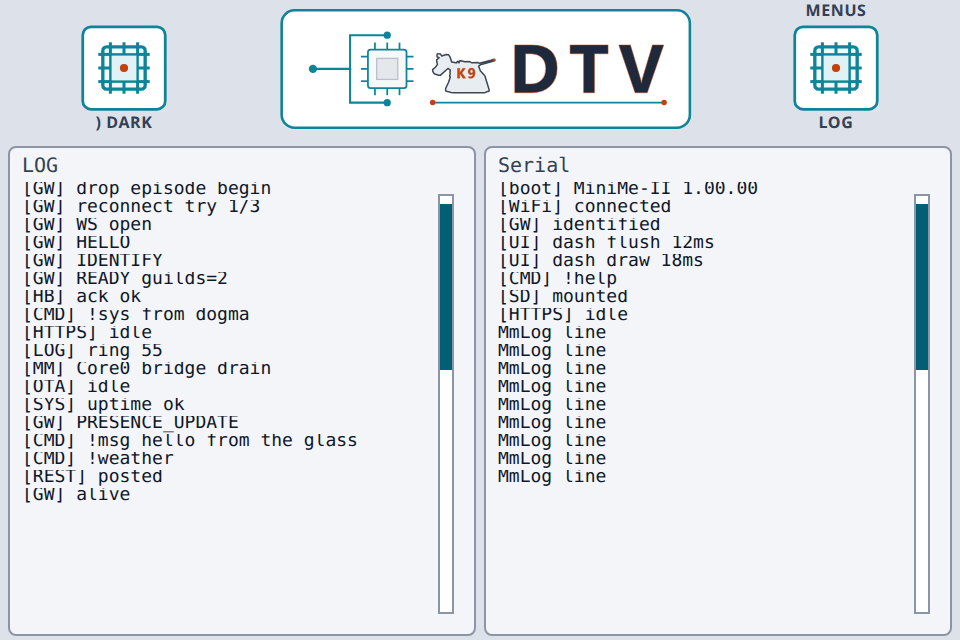
LCD Log layout (sample): LOG | Serial rings.
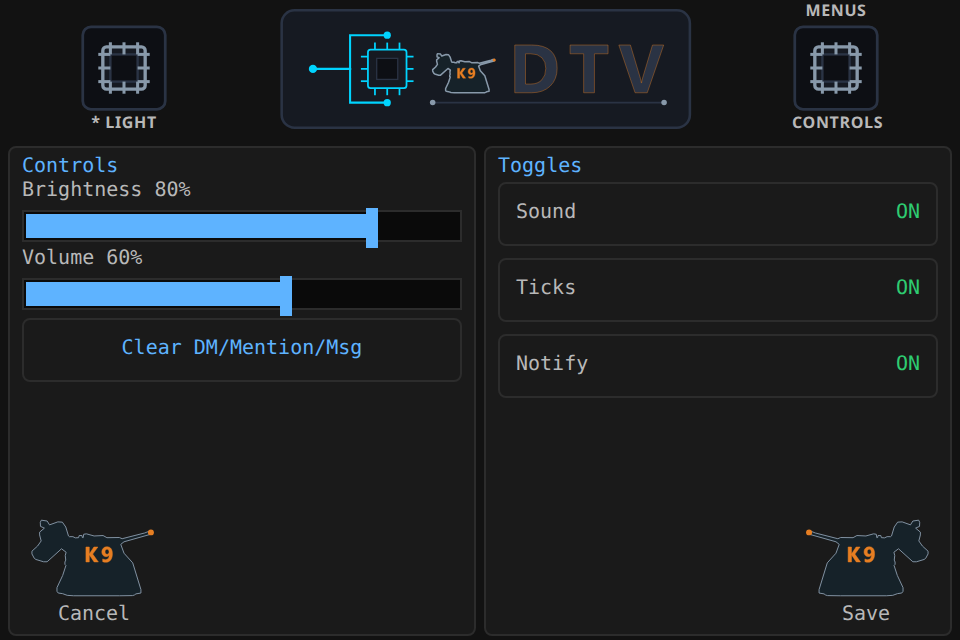
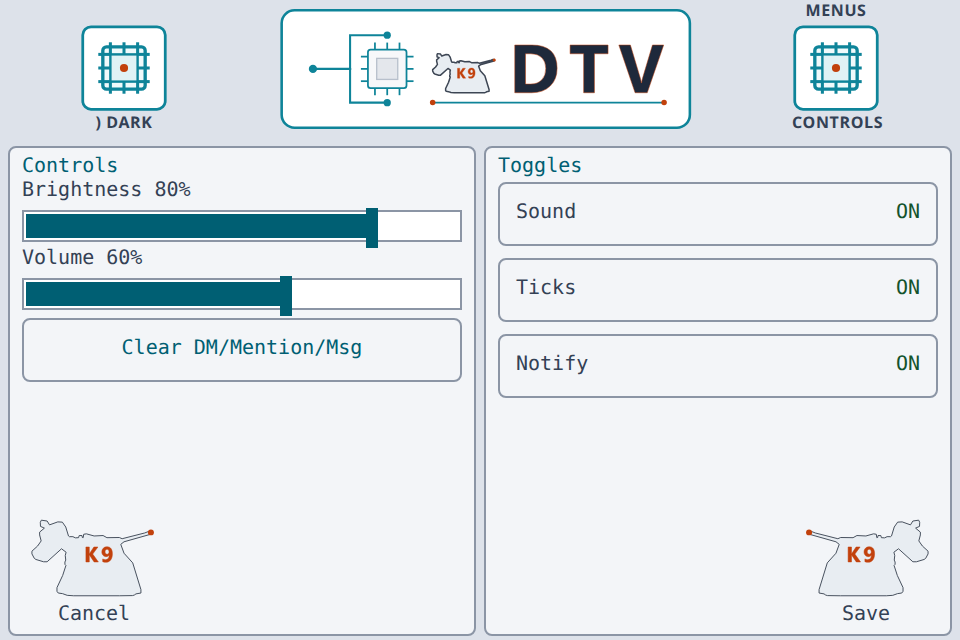
LCD Controls (sample): brightness / volume sliders and Sound / Ticks / Notify toggles; Save writes flash prefs.
Secrets and IDs
Credentials are #define NAME "value" lines. Prefer an SD card overlay: put a filled file named secrets.h on the card root as /secrets.h. At boot the firmware mounts the card and overlays Wi-Fi, Discord token, API keys, channel IDs, OTA, and WEB_UI_PASSWORD – change credentials without reflashing.
Build seed: copy MiniMe_Discord_Bot_II/secrets.example.h to secrets.h on the build PC (gitignored; keep real secrets outside the repo) so the sketch compiles. Boot seeds from that compile-time file, then overlays SD keys. Do not paste live tokens or keys into this site or commit them.
Missing SD card: Display IP flashes bright red 2 s on / 2 s off (LCD + web).
Firmware updates (OTA)
No cloud update service. Owner !ota prints IP / hostname / port 3232 for user-initiated Wi-Fi ArduinoOTA (LAN password only).
Security note: ArduinoOTA is hostname + password on the local network – no signed firmware or certificate identity. Any host that knows the password can upload a new image. Treat the LAN as trusted; do not expose port 3232 to an untrusted network. Prefer USB when the network is not trusted.
Hardware (default pins)
Guition JC3248W535EN module (ESP32-S3-N16R8 + AXS15231B LCD + in-cell touch). Not a breadboard; not MiniMe I.
| Device | GPIO |
|---|---|
| LCD backlight | 1 |
| LCD QSPI CS / SCK / D0–D3 | 45 / 47 / 21 / 48 / 40 / 39 |
| Touch I2C SDA / SCL / INT | 4 / 8 / 3 |
| SD SPI CS / MOSI / SCK / MISO | 10 / 11 / 12 / 13 |
| DS18B20 data (rear 4-pin; not fitted yet) | 18 |
| I2S DOUT / BCLK / LRCLK (on-module amp → speaker) | 41 / 42 / 2 |
Change pins in minime_config.h if your wiring differs. No LED1 / LED2, no on-module RGB, no !set1 / !set2, no USB VBUS ADC (GPIO 1 is backlight).
Arduino IDE setup
- Install Arduino IDE and the Espressif esp32 board package.
- Library Manager: GFX Library for Arduino (moononournation), plus ArduinoJson 7, WebSockets, OneWire, DallasTemperature, Adafruit NeoPixel, NTPClient.
- Open the MiniMe II sketch; provide
secrets.hfromsecrets.example.h(and optionally copy to SD card root). - Board: ESP32S3 Dev Module; 16MB flash, OPI PSRAM, dual OTA
partitions.csv; Arduino/Events on Core 1 (firmware pins LCDuiTaskto Core 0). - Upload. Confirm with Discord
!help, the LCD, andhttp://<board-ip>/.
GitHub Actions: Compile, Sanity, Python, and HTML checks on every push.
Safety
Never commit live bot tokens, API keys, passwords, or Discord snowflake IDs. Reset leaked tokens in the Developer Portal immediately. Keep real secrets.h out of the workspace; secrets.example.h only in-repo.
Original MiniMe II source and docs in the repo are under a non-commercial license for those files (commercial use requires express written permission). See LICENSE on GitHub.